Kraken Academy
Learn the ropes, rule the seas
Conversations: [NEW FEATURE] Internal Chat 💬
We're thrilled to announce Kraken Business Suite's™ new Internal Chat feature! With Internal Chat, you can collaborate with your team without involving customers, keeping discussions private and on-track. Whether coordinating responses, reviewing customer queries, or catching up on team updates, Internal Chat keeps your communication organized.
1. Left Panel: Conversations Tab
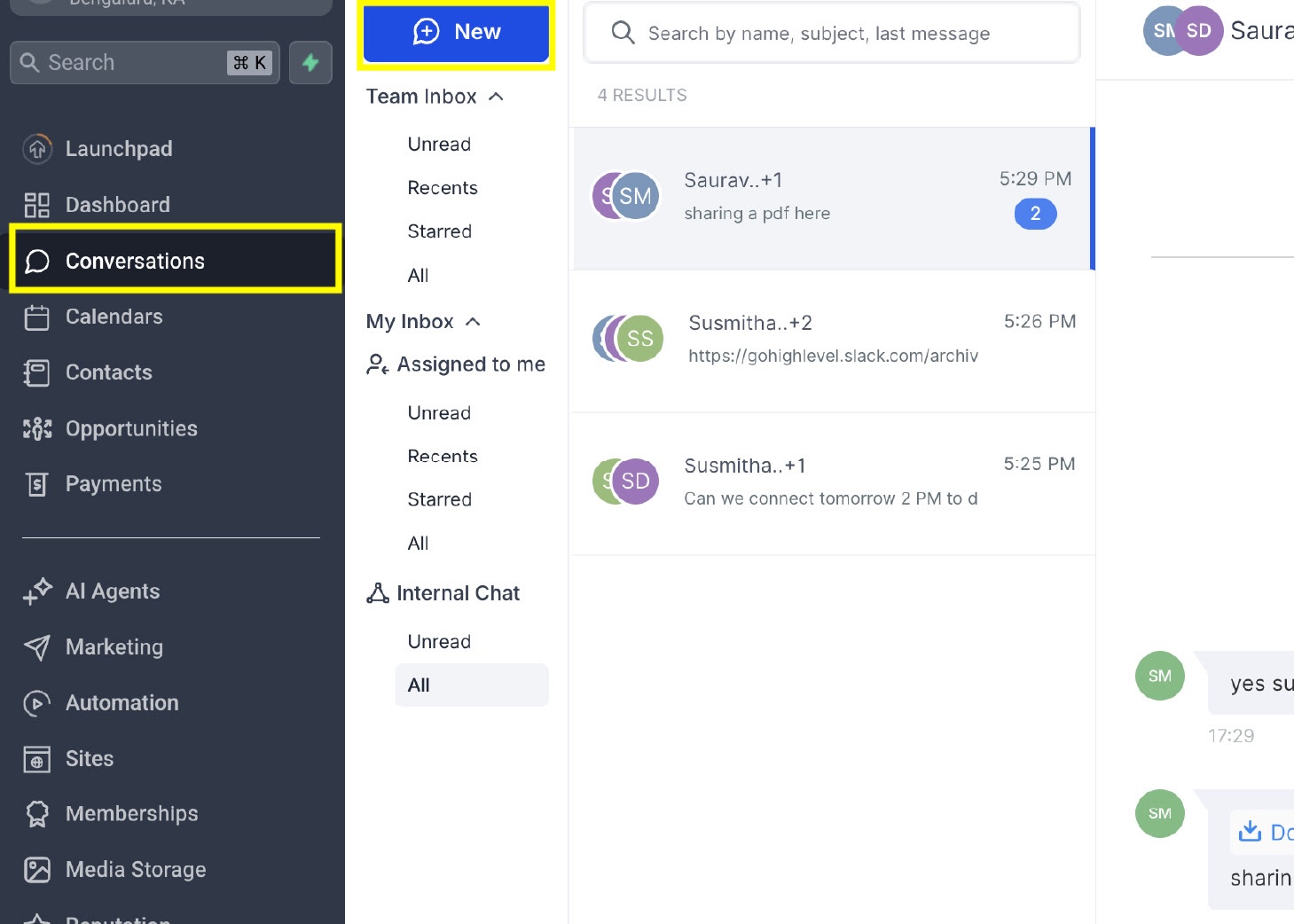
Navigate to the lefthand menu, click Conversations, then click the blue 'New' button.
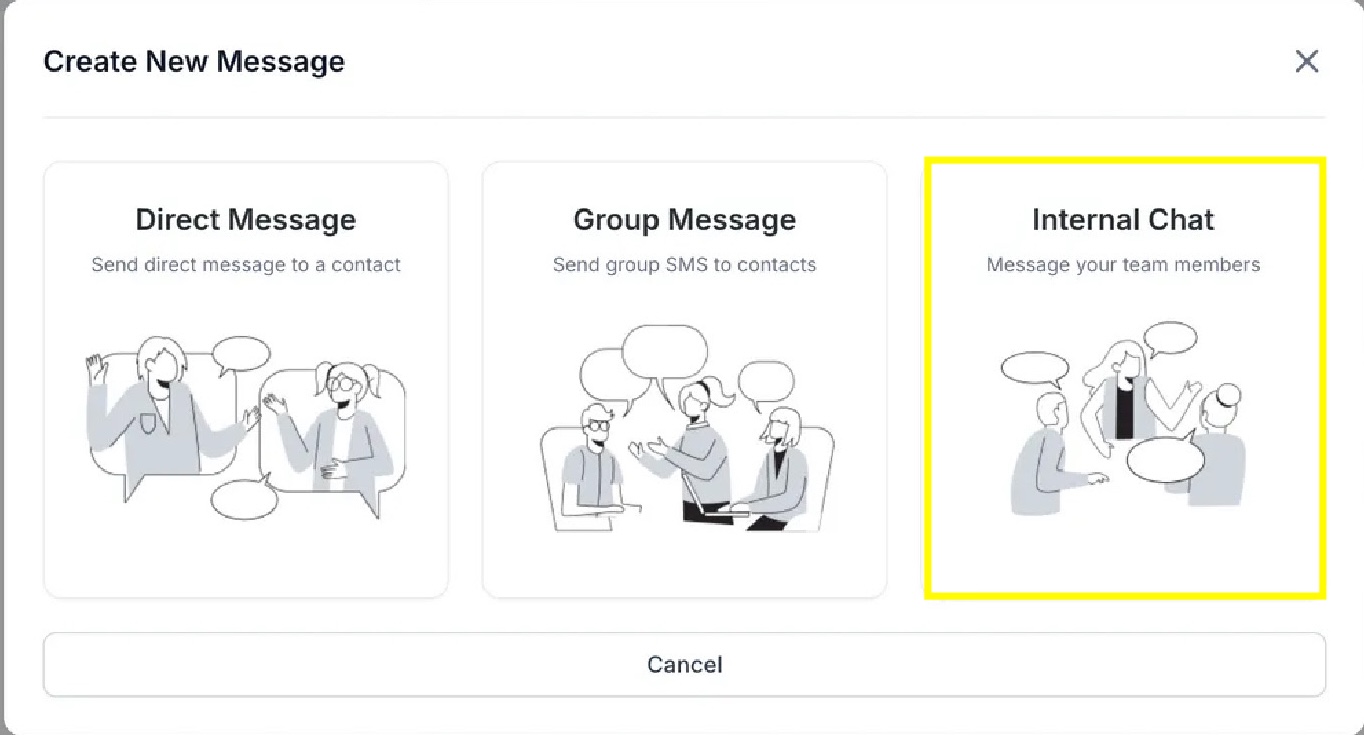
Next, select 'Internal Chat'.
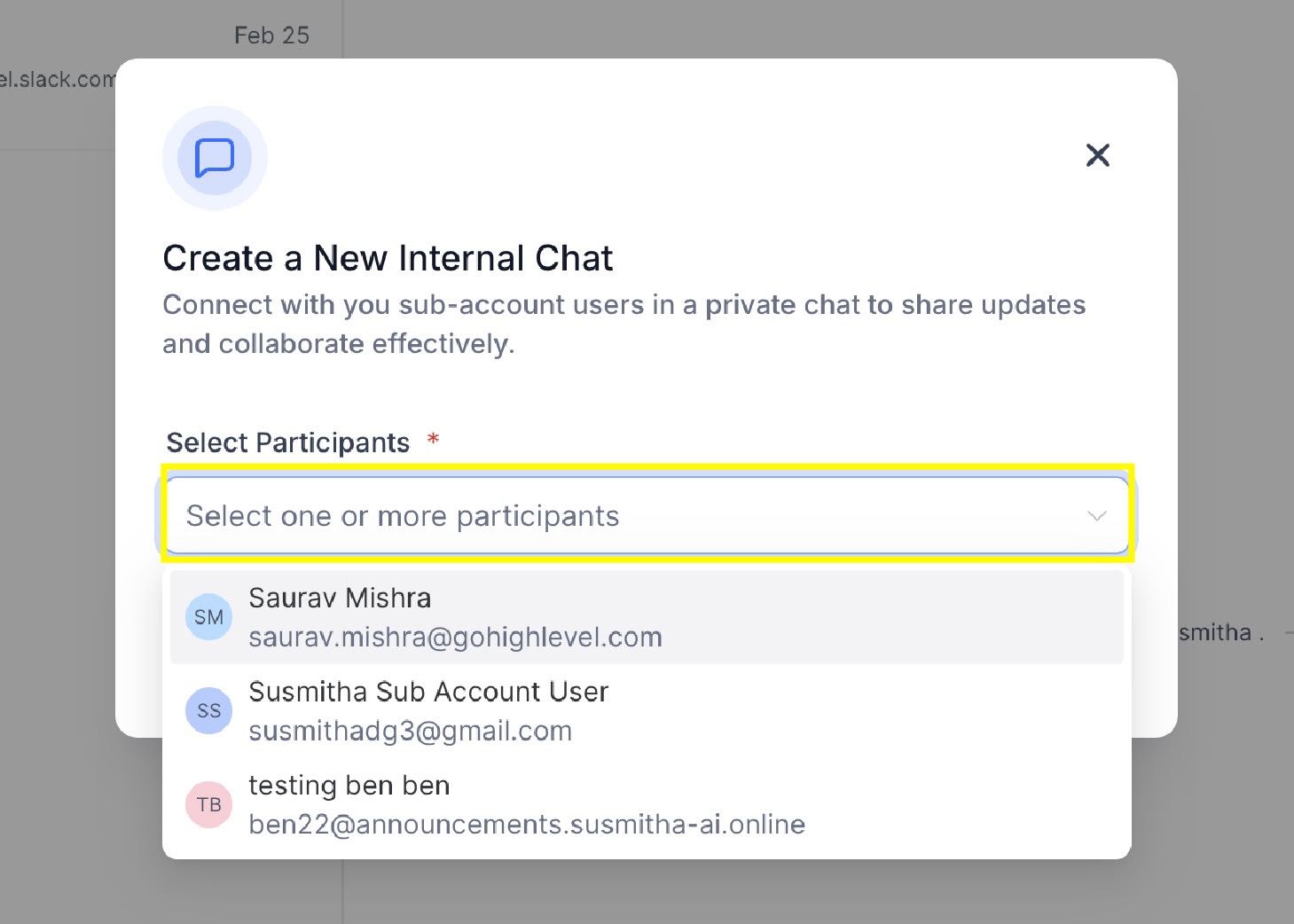
Add your chat participants from the dropdown.
2. Adding More Participants
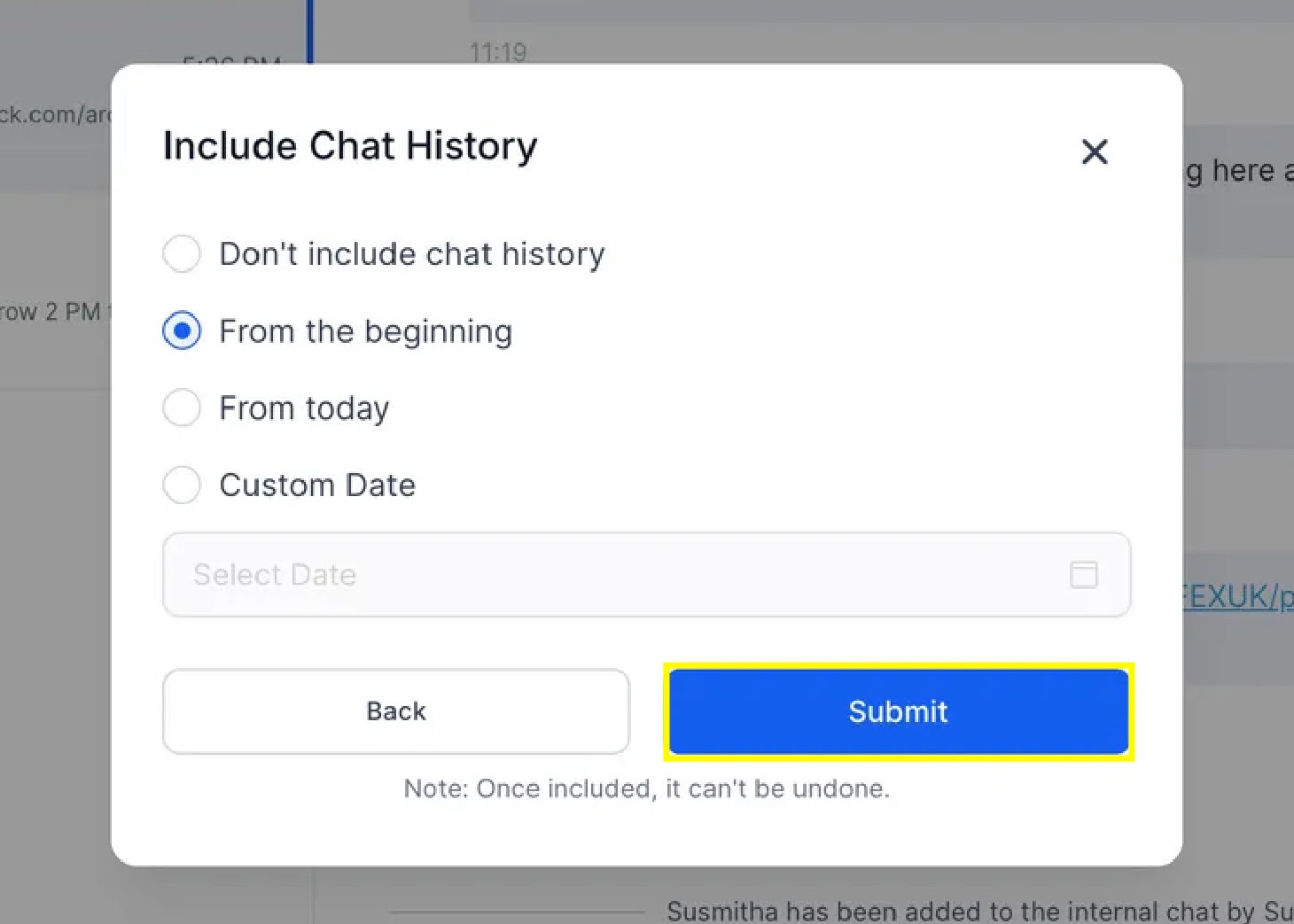
If you have a chat that is already started and has messages flowing, but you need to add another participant, navigate to the top right where it shows the list of chat members, then click 'Add Users'. Next, select how much Chat History you'd like to include this participant in, then click 'Submit'.
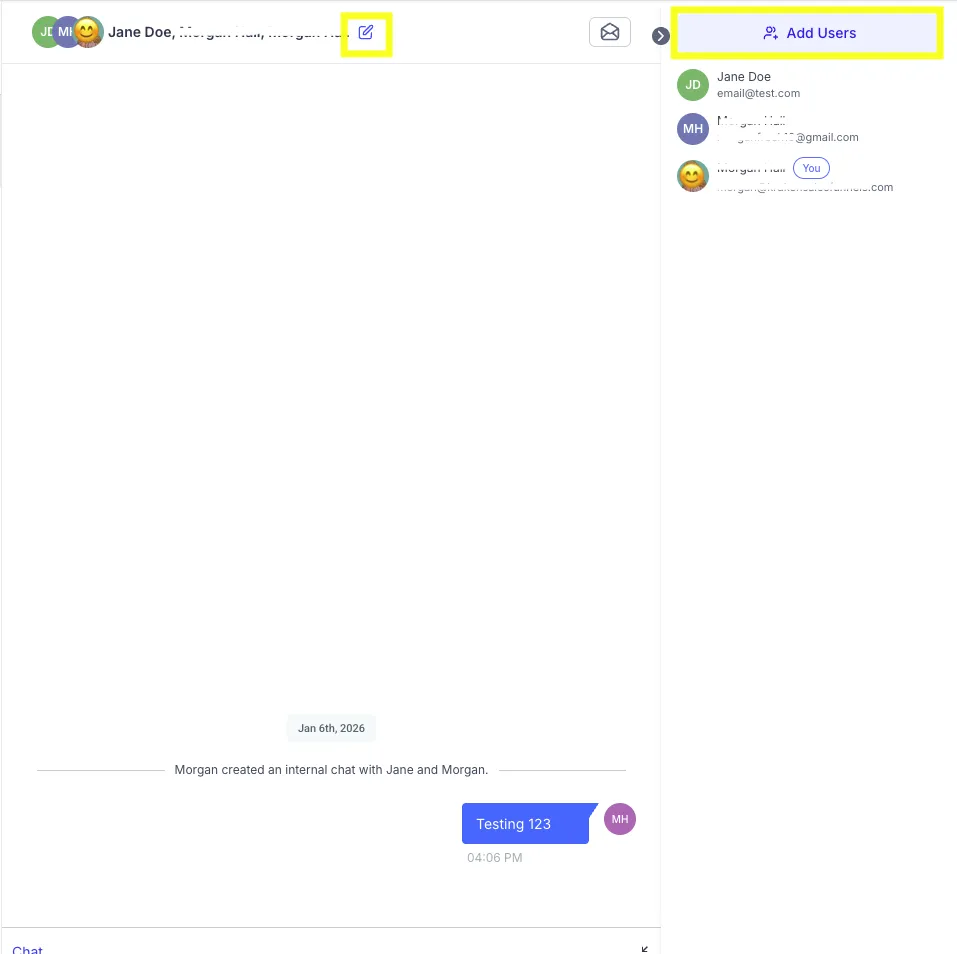
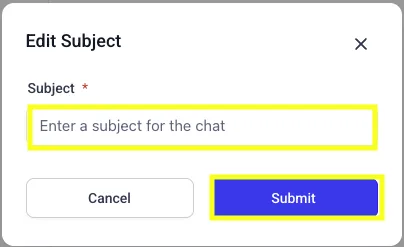
Lastly, you can set a Chat Subject to help keep you chat threads on-target with the assigned topic. Simply click the pencil icon to the right of the participant names across the top of the message, add the subject, then click 'Submit.'

Need Help?
If you encounter any issues during the process, submit a support ticket for assistance.